Dan Burcaw is Co-Founder & CEO of Nami ML. He built a top mobile app development agency responsible for some of the most elite apps on the App Store and then found himself inside the mobile marketing industry after selling his last company to Oracle.

Nami CEO Dan Burcaw joined the Mobile Growth & Pancakes podcast to talk subscriptions.
Nami CEO Dan Burcaw joined the Mobile Growth & Pancakes podcast to discuss subscription apps.
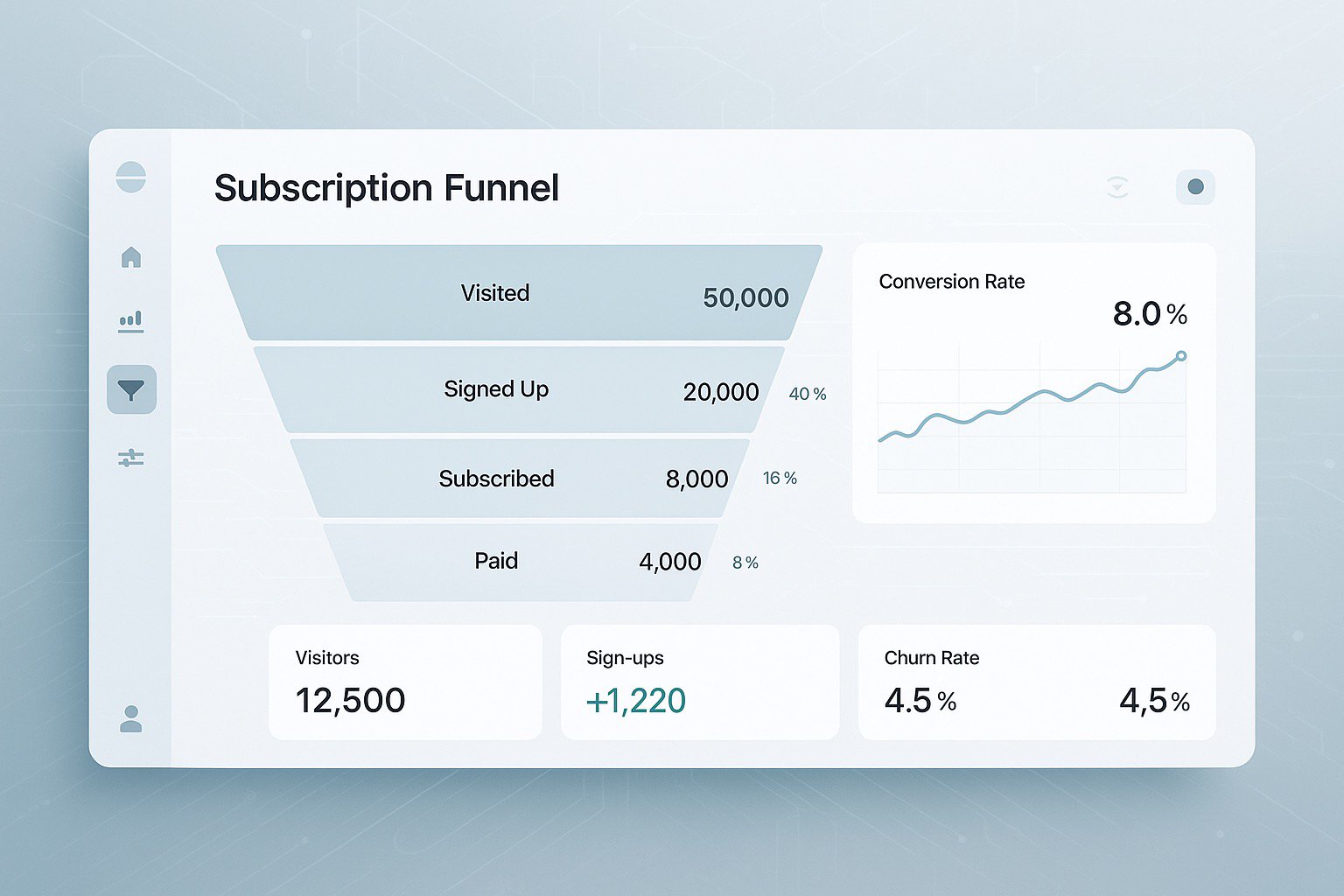
Getting your users to subscribe is so often the holy grail of many marketing departments, doing it right can be the differentiator in your way to success. In this episode of Mobile Growth & Pancakes, Esther Shatz is joined by Dan Burcaw, Co-Founder and CEO of Nami ML, to discuss strategies and tactics related to subscription-based apps.
if(window.strchfSettings === undefined) window.strchfSettings = {};
window.strchfSettings.stats = {url: "https://nami.storychief.io/en/mobile-growth-develop-subscription-based-apps?id=371032162&type=26",title: "Mobile Growth: Why and How to Develop Subscription-Based App",id: "51b60849-ff21-4408-b48f-9543da3cae59"};
(function(d, s, id) {
var js, sjs = d.getElementsByTagName(s)[0];
if (d.getElementById(id)) {window.strchf.update(); return;}
js = d.createElement(s); js.id = id;
js.src = "https://d37oebn0w9ir6a.cloudfront.net/scripts/v0/strchf.js";
js.async = true;
sjs.parentNode.insertBefore(js, sjs);
}(document, 'script', 'storychief-jssdk'))
👉Read more: Monetizing Digital Products with Subscriptions

Understanding how to resolve StoreKit's SKError Code unknown error case plus a quick overview of all SKError.Code enumeration cases.
Nothing is more frustrating than an error code that isn’t helpful. Such is the case with Apple StoreKit’s SKError.Code enumeration’s unknown case. This is a catch-all error code if one of the long list of error codes doesn’t match.
Apple suggests two things if this error is encountered:
There are likely other undocumented reasons why this error might get thrown. If neither of the potential resolutions above do not fix the issue, please reach out and we’ll try to help.
In addition to SKError Code Unknown, here is the complete SKError.Code enumeration list:
👉Read more: StoreKit Payment Sheet Failed: PassbookServiceUI Crash
If you are a Nami customer, you generally don’t need to worry about StoreKit implementation details since we take care of it for you. However, the Nami SDK does surface certain StoreKit messages for debugging purposes depending on the log level.
if(window.strchfSettings === undefined) window.strchfSettings = {};
window.strchfSettings.stats = {url: "https://nami.storychief.io/en/skerror-code-unknown-skerror-cases?id=1832936048&type=26",title: "SKError Code Unknown & Other StoreKit SKError Cases",id: "51b60849-ff21-4408-b48f-9543da3cae59"};
(function(d, s, id) {
var js, sjs = d.getElementsByTagName(s)[0];
if (d.getElementById(id)) {window.strchf.update(); return;}
js = d.createElement(s); js.id = id;
js.src = "https://d37oebn0w9ir6a.cloudfront.net/scripts/v0/strchf.js";
js.async = true;
sjs.parentNode.insertBefore(js, sjs);
}(document, 'script', 'storychief-jssdk'))
👉App Store Error ITMS-9000 Invalid Binary Fix

Nami Co-Founder & CEO Dan Burcaw joins the Data Driven podcast to talk about using AI to Stop Customer Churn, entrepreneurship, and deploying code aboard nuclear submarines.
Nami Co-Founder & CEO Dan Burcaw joins the Data Driven podcast to talk about using AI to Stop Customer Churn, entrepreneurship, and more.
Listen below, on Apple Podcasts, or visit the episode page.
👉Read more: Driving Customer Retention and Revenue with Cohort Analysis

Encountering Error ITMS-9000 (Invalid Binary) on the App Store? Discover the causes, common scenarios, and steps to fix this error for successful app submissions.
Error ITMS-9000 occurs when the app’s binary is improperly configured or fails to meet certain technical criteria set by Apple. This includes issues with the app’s entitlements, missing or mismatched provisioning profiles, or outdated build settings in Xcode. Familiarizing yourself with Apple’s requirements for app binaries can help prevent this error during submission.
Developers frequently encounter this error in the following situations:
👉Read more: SKError Code Unknown SKError Cases
👉Read more: The App Store Rejected My App, Now What
Error ITMS-9000 - Invalid Binary, often arises from issues with provisioning profiles, entitlements, build settings, or incomplete metadata. By verifying profiles, checking entitlements, updating build settings, reviewing metadata, and considering Application Loader for uploads, developers can resolve this error and submit successfully.
Nami’s low-code solutions can streamline app configuration and deployment, handling these technicalities so you can focus on the core aspects of your app. Learn more at NamiML.

Find solutions for Google Play Error Code 3 - Billing Unavailable. This guide explains common causes, scenarios, troubleshooting steps, and schema markup for developers.
Error Code 3 typically arises when the billing service cannot be accessed due to configuration, network, or device limitations. This may happen if the app isn’t published on a testing track in the Google Play Console, or if the device does not support Google Play services (e.g., certain restricted or non-Android devices). Additionally, attempting to test billing functionality on an emulator without Google Play Store integration will often lead to this error.
Knowing these causes allows developers to apply focused solutions to rectify the error.
The error frequently appears in the following situations:
Error Code 3 - Billing Unavailable, is a common issue that often stems from limitations in testing environments, device compatibility, or network conditions. By following these steps—publishing to a testing track, testing on devices with Google Play Store, verifying Google Play services, clearing cache, and ensuring network stability—developers can effectively troubleshoot and resolve this error.
With Nami’s low-code solutions, developers can skip the hassle of configuring and updating in-app billing, providing a ready-to-go environment that keeps your app’s billing setup in check. Discover more at NamiML.

What app developers need to know to offer alternative payments for App Store apps in South Korea. Details on Apple's commission, PSP requirements & more.
Alternative payments are finally here for the App Store. At least in South Korea, with a number of important caveats.
On March 15, 2022, detailed rules from the Korea Communications Commission went into effect preventing Apple and Google from mandating that app developers have to use their payment systems. These rules resulted from an amendment to the Telecommunications Business Act in South Korea which was signed into law in August 2021.
Now, Apple has finally provided app developers with detailed guidance for how to use a third-party payments provider in South Korea.
👉Read more: Epic v. Apple Ruling: What It Means for Your App
Here are 7 takeways you need to know before considering whether to offer alternative payments in South Korea:
The commission assessed is the normal App Store revenue split of 30% to Apple, less the fees associated with payment processing and related features.
App developers offering alternative payments in South Korea will need to provide all end user support functions related to payment processing issues, refund requests, subscription management, and more. Apple will not field any support requests related to third-party payments and will direct users to your support URL(s).
Developers interested in offering alternate payments in South Korea must request a special entitlement called the StoreKit External Purchase Entitlement for use within a build of your app specific to the South Korea App Store storefront.
App developers who want to offer alternative payments in South Korea must create a new app binary. This app will need to use a new bundle ID that has not been previously published on the App Store.
Apple has pre-approved four payment services providers (PSP) in South Korea for payment processing:
Each of these providers all meet Apple’s criteria which includes having broad payment support, industry standard privacy and security, fraud prevention, subscription billing, and split payments support. The special entitlement permits usage of only one PSP. You may request a PSP not on the pre-approved list, but Apple will consider additional PSPs at their discretion.
Before collecting payment information, you must inform users that the app is using alternative payments via a modal sheet conforming to a design provided by Apple.

Apple is requiring that the in-app payment experience for apps in South Korea taking advantage of alternative payments is fully native. No web views are permitted.
👉Read more: The App Store Rejected My App, Now What
It remains to be seen whether app developers will widely adopt alternative payments in South Korea or anywhere else in the world should they become available in other juristidations.
Arguably, Apple’s requirements allow compliance with South Korea law while trying to minimize as much end user confusion as possible.
For app developers and publishers, owning the customer transaction can sound enticing. As we’ve shown in this article, there are important considerations that make it a less straightforward decision.
At Nami, we’re tracking the global regulatory pressure that has been building for some time that may force Apple and Google to more widely permit a solution such as what’s now available in South Korea.
We’ll have more to say in the future about the approach we’re taking with our product. In the meantime, we are 100% committed to providing a great experience for developers who depend on native Apple and Google billing.
if(window.strchfSettings === undefined) window.strchfSettings = {};
window.strchfSettings.stats = {url: "https://nami.storychief.io/en/app-store-alternative-payments-south-korea?id=561211902&type=26",title: "Offering App Store Alternative Payments in South Korea - 7 Takeaways",id: "51b60849-ff21-4408-b48f-9543da3cae59"};
(function(d, s, id) {
var js, sjs = d.getElementsByTagName(s)[0];
if (d.getElementById(id)) {window.strchf.update(); return;}
js = d.createElement(s); js.id = id;
js.src = "https://d37oebn0w9ir6a.cloudfront.net/scripts/v0/strchf.js";
js.async = true;
sjs.parentNode.insertBefore(js, sjs);
}(document, 'script', 'storychief-jssdk'))