With 15+ years in SaaS and digital innovation, Lindsay Giachetti helps enterprise product and marketing leaders turn subscription solutions into meaningful, revenue-driving experiences.
She has had the privilege of working with brands like Apple, Google, and Warner Media, shaping strategies that connect creativity, data, and technology. Today at Nami ML, Lindsay leads product marketing and partner engagement, helping enterprise teams grow smarter through personalization that scales.

Most teams aren’t using custom app store listings, despite the proven lift in conversion. Learn how targeted App Store and Google Play pages create a cohesive journey from ad to onboarding.
The companies behind app products are spending more than ever on acquisition, yet most users are sent to the same generic App Store listing. So few Google Play and App Store fronts are user-targeted that you might wonder:
With a product’s App Store listing living at the intersection of Product and Marketing, it’s no wonder there are missed opportunities in this gray area of the user journey.
Apple reports that developers see a 2.5 percentage point average increase when directing users to a Custom Product Page — a 156% improvement over the 1.6% average conversion rate on default product pages.
Most teams aren’t capturing that lift simply because they’re unaware these tools exist or they haven’t built workflows that allow Marketing and Product to collaborate on targeted store experiences.
This is what a typical user journey might look like:
ad → store listing → onboarding
When a user moves from your tightly targeted ad or a relevant landing page into a generic App Store listing that treats every user the same, the disconnect creates friction at the exact moment their intent is highest. They just clicked the ad — they told you they’re interested.
Both Apple’s Custom Product Pages (CPPs) and Google Play Custom Store Listings (CSLs) allow teams to match the store experience to the path a user took. When messaging and visuals reflect their specific context, conversion becomes smoother and more consistent.
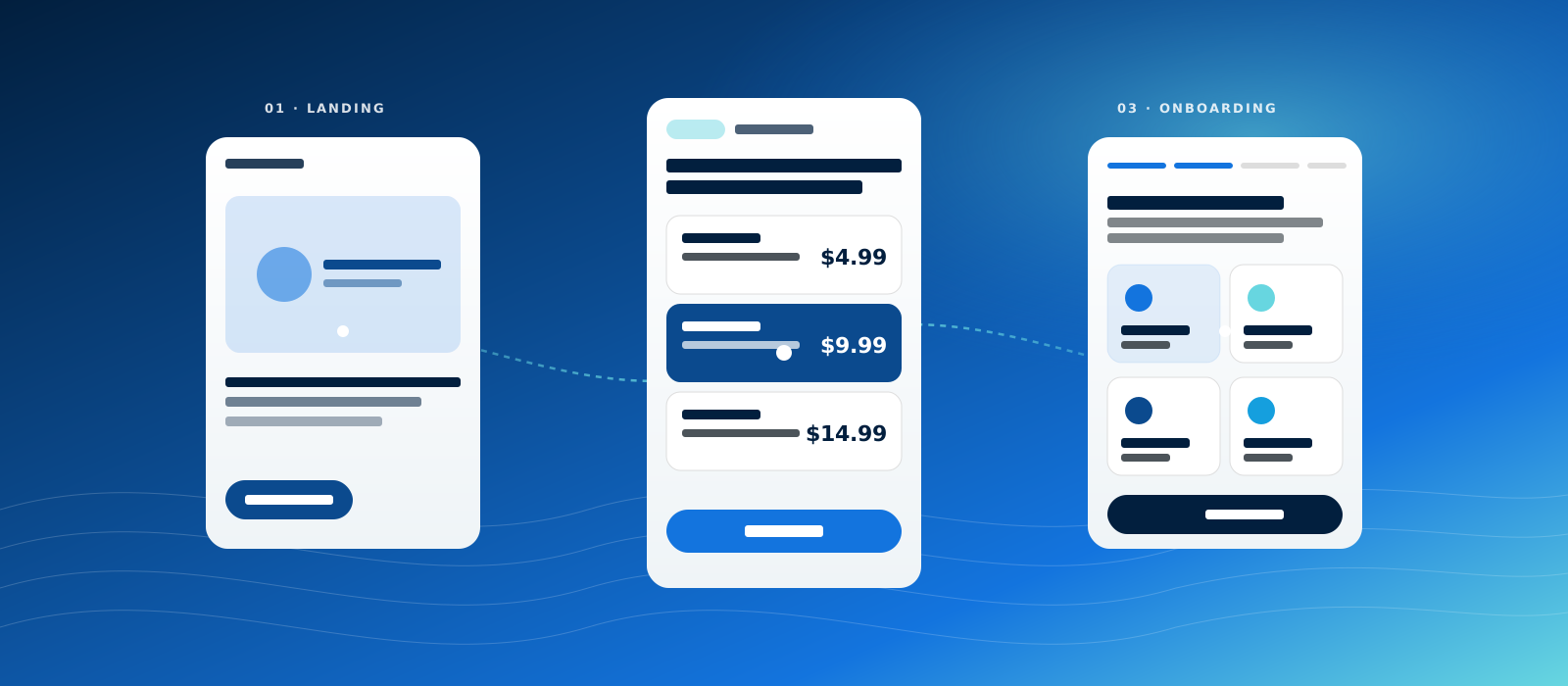
Every step, ad → store listing → onboarding, is part of a cohesive story.
Create additional versions of your app’s product page to highlight specific features or content, discoverable through unique URLs that you share. Add a deep link to direct people to a specific area of your app for a seamless experience. You can even use custom product pages in Apple Ads campaigns.
Users arrive at the store with intent shaped by the ad or link they clicked. When the screenshots and copy they see immediately reflect that scenario, you remove friction. The store becomes a natural continuation of the ad experience instead of a reset point.
Relevance is one of the strongest drivers of install performance. If you target pescatarians for a recipe app and your product page features a big, juicy steak, you just lost a subscriber. Conversely, someone coming in from an ad for protein-rich recipes will be very disappointed if you show them a zucchini wrap.
Custom App Store fronts let you match the listing to the mindset of the moment.
Paid campaigns often target niche audiences, creative angles, or funnel steps. A generic App Store page dilutes that precision. Tailored listing variants create continuity across the journey, improving install rate and lowering acquisition cost.
CPPs give teams clean attribution for testing different concepts or audience hypotheses. With purposeful variations in screenshots, video, or messaging, you can measure which narratives actually convert.
CPPs let you create up to 35 variations of your product page, each with its own URL. These variants can be used for paid acquisition, email, social campaigns, influencer partnerships, or any deep-linkable funnel.
1. App Preview Video
Each CPP can have its own video, showing different use cases, features, or platform contexts.
2. Screenshot Sets
You can customize:
3. Promotional Text
Short, high-visibility text you can update without a full release.
4. In-app Events (selection)
You can choose which in-app events to highlight on different pages.
Those elements stay consistent across all variants.
Google Play provides even deeper flexibility, with up to 50+ CSL variants. CSLs can target users by URL, country, language, install state, or specific acquisition channels.
1. Feature Graphic (hero graphic)
Prime real estate on Android. Can be customized per listing.
2. Screenshots
Like iOS, screenshots can be completely different for each variant.
3. Promo Video
Each variant can use its own video, hosted on YouTube.
4. Short Description
Visible above the fold. Extremely influential for conversion.
5. Long Description
Google allows changing the full description for each CSL.
6. App Name (for some targeting types)
In certain regional or device-specific variants.
7. Listing Details by User Type
You can show different listings to:
This supports re-engagement and lifecycle marketing.
| Element | Apple App Store (CPP) | Google Play (CSL) |
|---|---|---|
| Max Variants | Up to 70 | 50+ |
| Screenshots | ✔ Customizable | ✔ Customizable |
| Video | ✔ Customizable | ✔ Customizable |
| Feature Graphic | ✖ Not supported | ✔ Customizable |
| Short Description | ✖ Shared | ✔ Customizable |
| Long Description | ✖ Shared | ✔ Customizable |
| App Name | ✖ Shared | ✔ Sometimes (regional/variant) |
| Promo Text | ✔ Customizable | ✔ Short + Long description |
| Device-Specific Variants | ✔ (iPhone, iPad sets) | ✔ (varied targeting) |
| Target by Country/Language | Limited | ✔ Full control |
| Target by User State | ✖ | ✔ (new, lapsed, etc.) |
Below is a concise list of practical, high-impact use cases where custom App Store fronts drive meaningful results.
Different acquisition channels have different motivations and creative styles. Custom pages can reflect the environment users just came from.
Examples:
Tailoring screenshots to match the ad context reduces cognitive switching and keeps users anchored on the journey they started.
Other entry points may be mid-funnel, including:
If the App Store page mirrors that content, you reinforce the specific value the user is exploring. Depending on how you choose to set up your campaign, a user will likely have 1-2 touchpoints before getting to the product page. Here are some example journeys for targeted campaigns:
ad → store listing
comparison chart → store listing
ad → landing page → store listing
referral link → pricing page → store listing
Both CPPs and CSLs allow each variant to have its own URL, which gives marketers a controlled environment for experimentation. You can test different:
Because traffic goes to a specific listing version, attribution remains clean. This turns the App Store or Google Play listing into a measurable testing surface rather than a static asset.
This level of control is especially valuable in channels where small improvements in conversion rate have outsized impact on cost-per-install.
App Store fronts can shift with the calendar:
While broader than deep-link variants, these listings still benefit from tailored visuals that often outperform evergreen creative.
Perhaps the biggest opportunity in customizing store fronts is aligning creative with where a user first encounters a brand on their journey to the store. Arguably for most users that place is social media.
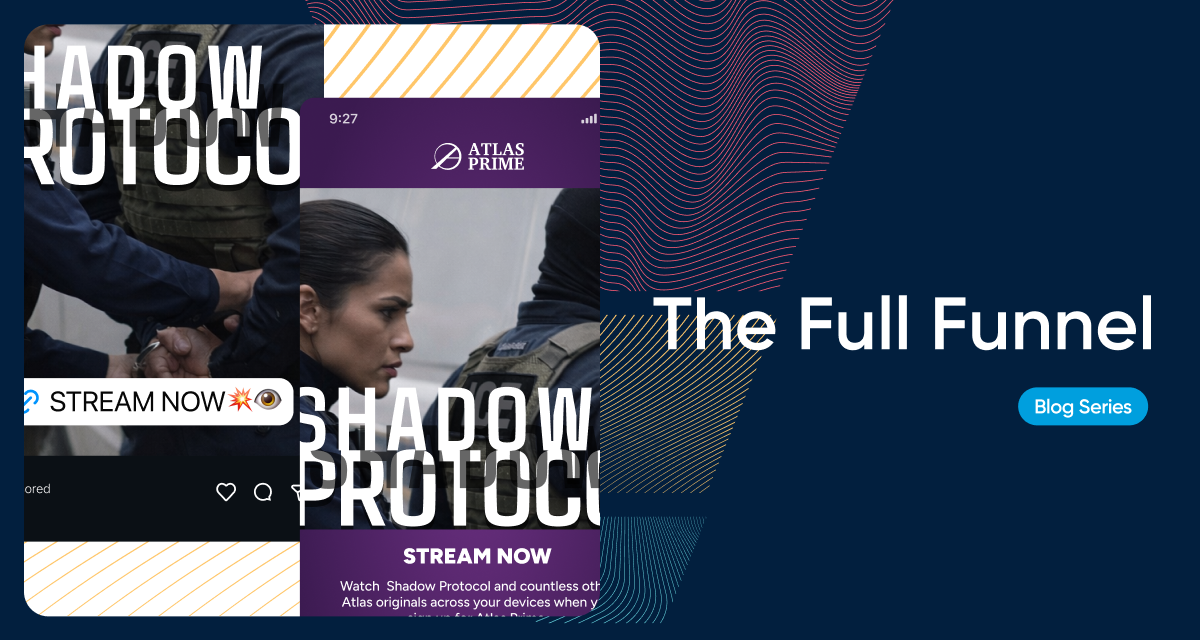
Using Nami’s Browser Peek — a tool that previews how funnel URLs render inside TikTok, Instagram, Facebook, and other in-app browsers — we created store listing variations based on traffic source.
Because Nami also handles Browser Peek’s onboarding flow, we extended this continuity into onboarding. The user’s journey stayed consistent from first click through install.
The app store is no longer the end of the journey. It’s the final commitment point before users see your product. If your team is investing in personalized acquisition paths, onboarding should reflect those expectations.
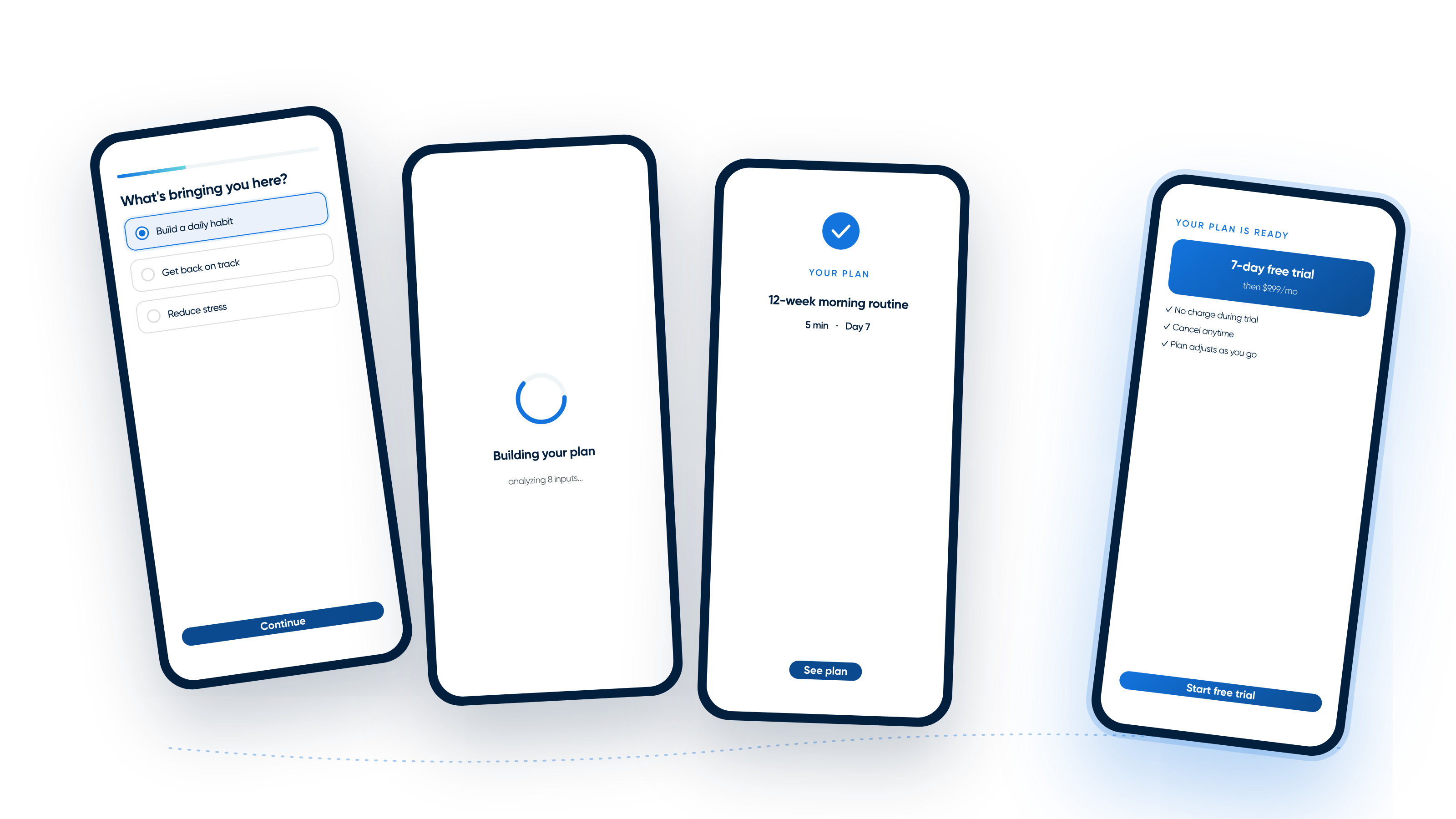
This is where tools like Nami Flow Builder complete the loop. After creating a tailored App Store or Google Play listing, you can carry that personalization into onboarding with contextual experiences, custom paywalls, or use-case-specific flows. The user moves from:
personalized ad → tailored store listing → aligned onboarding
The result is a conversion path that feels coherent from the first click to the first in-app action, increasing the likelihood of retention and trial success.
Teams typically begin with:
Extra credit: Extend the App Store experience into onboarding
Carry the same messaging and context into your onboarding flow so the journey remains aligned after install.
Marketers often see early wins even with simple changes that reflect the user’s platform, persona, or campaign theme.
Custom App Store fronts are no longer a nice-to-have. They’re a way to make every acquisition dollar more effective by meeting users with the context they carry in. When the store experience matches the journey, conversion lifts naturally.
For deeper guidance, examples, and technical instructions, refer to the official documentation:

Too many journeys skip the step that nurtures. Explore how bridging marketing and product creates cohesive experiences that convert more subscribers.
Imagine walking into a grocery store and finding the checkout right inside the door. There’s a basket of groceries waiting for you… it even has your name on it. But you didn’t pick any of it out. You don’t know what’s inside, how much it costs, or if it’s what you actually want. Do you really trust that what’s in that basket is for you if you didn’t do the shopping?
That’s what most subscription funnels feel like today: users click an ad, maybe they came in from TikTok or scanned a QR code on their TV, and are immediately presented with a paywall. They’re being asked to buy before they’ve had a chance to browse, explore, or understand the value.
That moment between ad interaction and purchase where intent is built, and ignoring it leaves potential subscribers behind.
To be fair it’s not just a user experience issue. It’s a symptom of how teams are structured. Marketing focuses on driving traffic and lowering acquisition costs. Product focuses on in-app experience and conversion. Between them lies a gap, and real subscription growth begins when marketing and product bridge it together.
When a user clicks an ad, they’re expressing curiosity, not commitment. They’ve seen a piece of marketing creative — an image, tagline, or video clip that captures their attention but doesn’t yet build their trust. If their next step is a demand for payment, it’s too much, too soon.
From the user’s perspective, the experience feels jarring. The visual style might not match. The offer might feel disconnected from the ad’s promise. The product’s value hasn’t been established, and the user’s psychological state hasn’t caught up to the ask.
The result: low conversion rates, high abandon rates, and wasted ad spend.
This is what happens when marketing and product operate on separate tracks. One optimizes for clicks, the other for purchases. No one owns what happens between them, which is the most psychologically sensitive part of the journey.
The path from first touch to subscription should be one continuous experience. Every step, from the ad creative to the landing screen to the paywall, should feel like part of the same story.
That requires marketing and product working as a single system.
When marketing and product aligns on the funnel experience, the result is a seamless journey that builds momentum instead of friction. Design, messaging, and flow come together to bridge curiosity and commitment.

Two psychological principles explain why direct ad-to-paywall funnels tend to underperform:
People crave consistency between what they see and what they experience. If the ad promises one kind of value — say, a clean, premium experience — but the landing page or app interface feels different, it creates dissonance. The user, usually subconsciously, begins to question whether they can trust what they saw.
A consistent experience, on the other hand, builds credibility. When the tone, visuals, and message flow naturally from ad to product, users feel reassured that they’re in the right place. Things make sense and the value they were promised is real.
Research in behavioral psychology shows that once someone takes a small action, they’re more likely to take a larger one later. This is known as the foot-in-the-door effect.
In subscription funnels, that means users who scroll, watch a short video, or interact with an experience before seeing a paywall are more likely to convert. Those micro-interactions build trust and momentum to create a sense of “I’m already in.”
When you send users straight from ad to paywall, you skip those psychological commitments. You ask for a decision before they’ve had time to decide.
Direct-to-paywall experiences aren’t disappearing — and they shouldn’t. They serve an important purpose: capturing high-intent users who are ready to act. For these users, removing steps and minimizing friction can drive immediate monetization.
But that approach only works for a small segment of your audience — the ones already convinced. For everyone else, the journey from curiosity to commitment needs more context.
That’s where landing flows come in.
Landing flows are connected, on-brand experiences designed to bridge the gap between marketing and product while engaging both high- and low-propensity users. Instead of sending everyone to the same paywall, a landing flow guides each user through a short, tailored sequence that builds intent before asking for payment.
Unlike a static landing page, a landing flow can:
The result is a funnel that works harder for every user type.
In combination, these journeys raise total conversion rates and reduce acquisition waste by matching the experience to the user’s readiness. Landing flows don’t replace direct-to-paywall paths, they complement them, capturing more value across the full spectrum of user intent.
Creating this kind of unified experience requires breaking down the invisible wall between marketing and product. That starts with shared ownership of the user journey.
Here’s what that looks like in practice:
When teams collaborate this way to bridge the gap between marketing and product, growth stops being a series of disconnected optimizations and starts becoming a single, cohesive system.
The most overlooked part of the subscription funnel is the middle — the journey between ad interaction and paywall. That’s where curiosity turns into conviction.
Bridging marketing and product isn’t just good alignment; it’s good business. It reduces wasted ad spend, raises conversion rates, and creates a brand experience that feels intentional at every touchpoint.
The companies that master this don’t simply acquire more users, they convert more of the right ones who are less likely to churn later on. Companies with cohesive product and marketing alignment understand that growth doesn’t come from louder ads or flashier paywalls. It comes from building a seamless, trustworthy journey that compels a user to follow.

Learn how interactive CTV ad campaigns at the top of the funnel connect to onboarding flows and paywalls for a seamless subscriber journey.
Connected TV (CTV) advertising has exploded as streaming audiences have shifted away from traditional linear TV. But what’s truly transforming the landscape is the rise of interactive CTV ads — those that invite the viewer to do something while watching. For subscription-driven businesses, this innovation opens up a powerful new top-of-funnel channel that connects awareness directly to conversion.
CTV is a natural extension of the subscriber journey — one that, when combined with informed onboarding and paywall experiences, creates a seamless, measurable path from big-screen exposure to paying user.
Interactive CTV ads enable viewers to engage directly with an advertisement using features like QR codes, remote clicks, polls, or shoppable elements. Instead of passively watching a brand message, the viewer can respond immediately — scanning a code, choosing an option, or even making a purchase without leaving the couch.
Unlike traditional broadcast spots, these ads are delivered digitally via streaming devices and Smart TVs (Roku, Fire TV, Google TV, Samsung, LG, and Apple TV). This means advertisers can leverage data targeting, performance measurement, and interactivity — capabilities once limited to web and mobile.
Below is a quick reference chart of the main interactive formats used in connected TV advertising today:
| Format | Description | Use Case for Subscription Apps |
|---|---|---|
| QR Code Overlay | A QR code appears on-screen, prompting viewers to scan with their phones. The scan leads to a landing page, mobile web, or app. | Ideal for driving viewers directly into a Nami-built onboarding flow or paywall experience. |
| Remote-Control Response | Viewers use their remote to interact — e.g., click “Learn More” or “Start Trial.” | Best for platforms with native interactivity (Roku, Fire TV) to capture immediate interest. |
| Shoppable / Carousel Ads | Displays multiple products or content options to browse via remote. | Could highlight subscription tiers, premium bundles, or exclusive offers. |
| Gamified / Poll Ads | Simple games, quizzes, or polls embedded in the ad to boost engagement. | Build awareness or preference profiles before serving a targeted trial offer. |
| Pause / Contextual Overlays | Ads triggered when the viewer pauses content or during contextual moments. | Unique brand awareness plays for publishers or streaming services. |

For subscription-based apps — streaming services, digital publishers, fitness platforms — CTV ads solve a long-standing problem: the gap between awareness and action.
Historically, TV advertising has been great for brand exposure but weak for direct conversion. With interactivity, a viewer can instantly move from watching a 30-second CTV ad spot to engaging with your service on their phone.
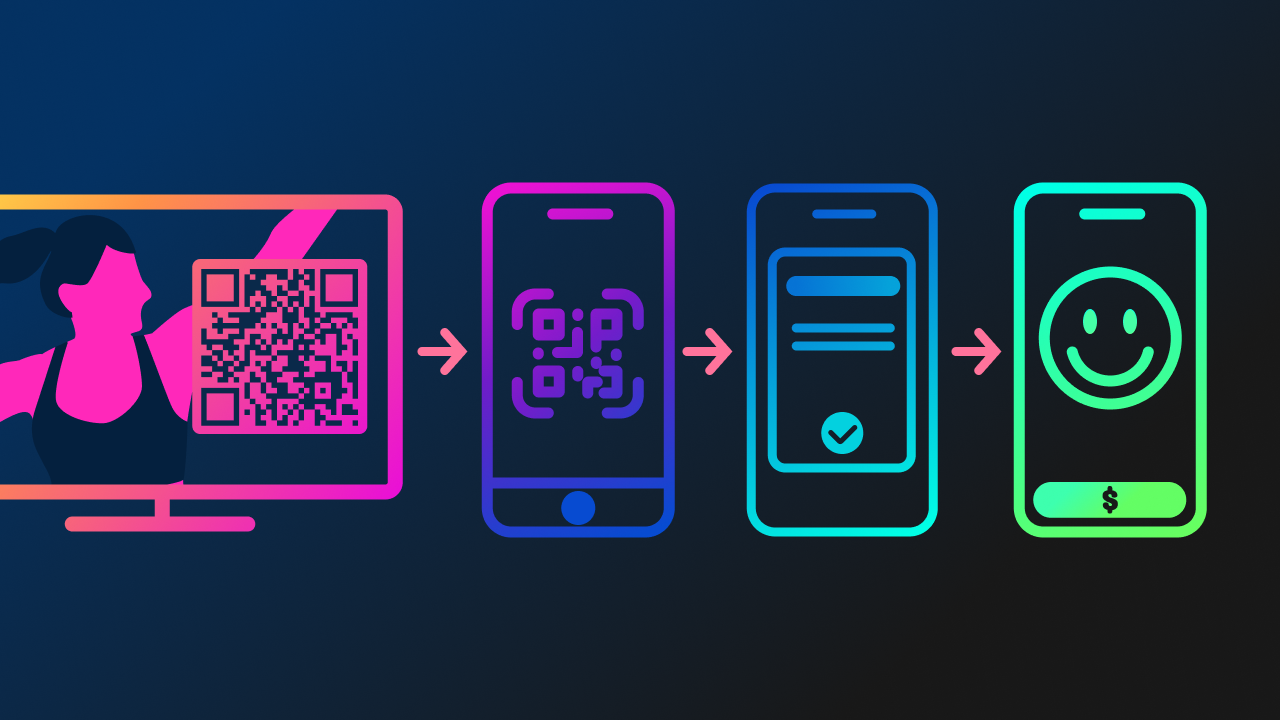
Consider the flow:
This creates a frictionless top-of-funnel-to-conversion journey — measurable, trackable, and consistent from the TV screen to the app experience.
Interactive features are expanding rapidly across connected TV platforms, and Roku may be ahead of the curve. Through Roku Ads Manager, advertisers can now create Action Ads — interactive units that let viewers engage with your brand directly from their Roku remote. Whether they’re requesting more information or shopping on the spot, these experiences illustrate how quickly CTV is evolving toward frictionless interactivity, where every viewer interaction can lead to a subscription or conversion.

Interactive CTV is growing fast:
For enterprise subscription brands, this means CTV is no longer just a branding play, it’s a performance marketing channel capable of driving measurable acquisition and retention.


Nami’s platform already powers the mid and bottom of the funnel — onboarding flows, paywalls, and subscriber analytics. Now, with interactive CTV ads feeding directly into those experiences, brands can own the entire subscriber journey:
CTV Ad → QR Scan or Embedded Interaction→ Nami Onboarding Flow → Nami Paywall → Subscription Experience
This unified approach ensures consistent messaging, streamlined UX, and clear attribution from first impression with an interactive CTV ad to recurring revenue. It’s the bridge between marketing and monetization, and it’s what modern subscription growth demands.
Ready to connect your next campaign from the big screen to the checkout screen?
Let’s talk about Nami’s CTV solutions for the subscriber journey.

Learn how deep linking from App Store and Google Play preserves user intent after install, connecting ads, store listings, and onboarding.
This article is a companion to our previous article on Custom App Store listings.
Companies spend significant time and budget optimizing the moment a user decides to install. Ads are targeted. Store listings are customized and messaging is tuned to a specific use case or audience (though publishers often skip implementing custom product pages that target different customers and miss key revenue).
Then the user opens the app…
...and the experience resets.
Most users land in a generic home screen or default onboarding flow, regardless of how or why they installed. The intent that carried them through an ad and the App Store often disappears at first launch. For teams focused on acquisition efficiency, this is a quiet but costly drop-off point.
A typical post-install experience looks like this:
ad → store listing → install → generic onboarding
When the in-app experience doesn’t reflect the context a user came from, friction reappears. The user has to re-orient themselves, re-learn value, and sometimes re-discover the feature they were promised. Some do. Many don’t.
Deep linking solves this problem.
Deep linking allows you to send users to a specific destination inside your app, rather than a default starting point. When combined with app installs, this often takes the form of deferred deep linking, where context is preserved even if the app isn’t installed at the moment a user clicks or taps.
In practice, this means you can connect:
ad → custom store listing → install → specific in-app experience or onboarding flow
The goal is continuity. The user should feel like they landed exactly where they expected to be.
The App Store itself doesn’t deep link users into your app after install. However, Apple explicitly supports pairing Custom Product Pages with deep links so users land in a relevant in-app location after install.
From Apple’s App Store marketing guidance:
“Create additional versions of your app’s product page to highlight specific features or content, discoverable through unique URLs that you share. Add a deep link to direct people to a specific area of your app for a seamless experience.”
In practice, this often involves:
Google Play offers more flexibility through:
This allows Android apps to route users more directly to feature-level destinations, especially for campaign-specific installs or re-installs.
The core principle remains the same on both platforms: intent should survive the install.
Custom App Store and Google Play listings solve the pre-install relevance problem. They ensure users see screenshots and messaging aligned with why they clicked.
Deep linking solves the post-install relevance problem.
Without deep linking:
Each break in continuity increases the chance a user abandons before activation.
With deep linking:
If a store listing highlights a specific feature or workflow, deep linking can send users directly into:
This reduces time to value and increases activation.
Different audiences install for different reasons.
A language learning app runs ads targeting professionals interested in learning a language for business. The ad drives users to a short questionnaire landing flow designed to understand their goals.
The user has selected an interest in Mandarin and is sent to a custom App Store or Google Play listing that highlights Mandarin lessons focused on business conversations and workplace scenarios.
Without deep linking:
The user installs the app and lands in a generic onboarding flow that asks them to choose a language and learning path again. The intent captured in the questionnaire and reinforced in the store listing is lost, forcing the user to repeat steps before reaching value.
With deep linking:
The user lands in a custom onboarding flow configured for Mandarin and business use cases. The first in-app experience reflects the ad, the questionnaire, and the store listing — creating a seamless transition from interest to action.
A streaming service promotes a new original series through social and search campaigns. The custom store listing highlights that specific show.
Without deep linking:
Users install the app and land on the home screen or a paywall, where the promoted show may or may not be visible. Some users scroll and others abandon.

With deep linking:
The user is taken directly to the show’s detail page or a curated onboarding experience that introduces the series and complimentary catalog titles, and prompts playback. The install immediately delivers on the promise that drove the download.
If a store listing emphasizes premium value, the first in-app monetization moment should reflect that promise. Deep linking helps ensure paywalls and upgrade prompts align with what motivated the install.
Returning users don’t need to see onboarding again. Deep linking can route them directly back to relevant content or features, improving re-engagement performance.
A fully aligned journey might look like this:
ad → custom store listing → install → deep-linked onboarding
A user clicks a TikTok ad, lands on a TikTok-specific store listing, installs, and opens the app to an onboarding flow that is a continuation of what they saw in the ad and store screenshots.
The story remains consistent from entry through onboarding and first use.
Deep linking determines where a user lands. Onboarding is the experience that welcomes a user into your app or digital product.
Tools like Nami Flow Builder allow teams to map deep link context to onboarding flows, paywalls, and experiences. Instead of treating all new users the same, onboarding can reflect:
This ensures the relevance gained through custom store listings and deep linking doesn’t disappear once the app opens.
The same deep links used to preserve intent after install can also be used outside of the App Store in ads, emails, and other marketing touchpoints.
For users who already have the app installed, deep links can open the app directly to the most relevant in-app destination. For users who don’t, those same links can route through a custom App Store or Google Play listing before installation.
For example, a streaming or sports app promoting a specific soccer match can send:
In both cases, the user lands exactly where they expect. The only difference is whether the App Store is part of the journey.
Teams typically begin with:
Even modest alignment between store messaging and first app experience can produce meaningful gains.
Custom App Store listings help users decide to install.
Deep linking ensures they arrive where they expect to be.
Together, they turn acquisition into activation, and intent into engagement.

Enterprise subscription growth doesn’t usually stall because product or marketing teams run out of ideas. Growth stalls because most internal systems don’t support the velocity required to experiment, optimize, and ship improvements across the funnel from acquisition to product subscription.
At a certain level, adding more team members to product or marketing does not increase velocity so enterprise teams need to shift focus to how monetization experiences get built.
A good analogy is a band that keeps adding members as its stage gets bigger. A coffee shop band that finds itself playing small town venues might add percussion to give their sound more depth. But once the group moves to playing a big city arena, adding more musicians doesn't automatically create better music. Past a certain point, the arrangement becomes crowded. Multiple guitars compete with the keys, drums drown out the verse, and a swelling horn line swallows the melody. The performance doesn’t fall apart because the musicians lack talent. It falters because the focus was on filling the stage rather than creating music the audience wants to hear.
Rather than throwing more headcount at subscription growth issues and overcrowding the stage, product and marketing leads need to look at other ways to grow subscription revenue.
For talented enterprise teams where everyone has maxed out their bandwidth, operational efficiency is a strategic lever that directly determines how fast subscription revenue grows.
Every paywall, offer, product, legal copy, experiment variation, and onboarding step requires coordination across multiple categories. Design, product, engineering, brand, marketing, legal, compliance, analytics all contribute. Each function introduces handoffs, reviews, and rebuilds.
Addressing inefficiencies is the key to creating operational harmony that leads to subscription growth.
Enterprise teams cannot afford to ignore inefficiencies. There are product and marketing leaders who may be comfortable with the status quo or may feel disempowered by limited resources, but choosing to not address inefficiencies creates risks to subscription growth, including alienating your customers before they convert.
Without operational efficiency:
The result is broken experiences that leave customers disengaged and disoriented, rather than ready to convert.
When monetization experiences take weeks or months to update, product and growth teams can run only a small number of experiments or update a minimum number of experiences with each release. There’s stalled momentum, a lack of visibility into what is or isn’t resonating with customers, and teams are unable to respond quickly to shifts in user behavior, pricing strategy, or competitive pressure.
Product and marketing need ways to:
Efficient operations increase velocity by helping teams ship more high-quality iterations, and that compounding effect is what drives revenue performance. The core band members are better with their instruments and the fanbase grows.
Reusable assets can give teams a shared source of truth. The typography, tone, imagery, and compliance language stay aligned across every monetization touchpoint. The workflow becomes predictable, so teams avoid version mismatches and prevent avoidable errors. And user experiences become congruent and refined.
Reusable assets can include:
When these elements are created as reusable components, teams stop reinventing the wheel with every user experience. They reduce QA overhead. They simplify brand and legal review. Marketing has the bandwidth to play a role in experiments and refinements. Teams spend more time on strategy and testing, and less time on assembly.
Much like your favorite band plays the same song they recorded in the studio on stage, reusable assets bring harmony with familiar experiences on your pages and paywalls, reducing errors, ensuring consistency, and increasing experimentation velocity — all essential elements of subscription growth.
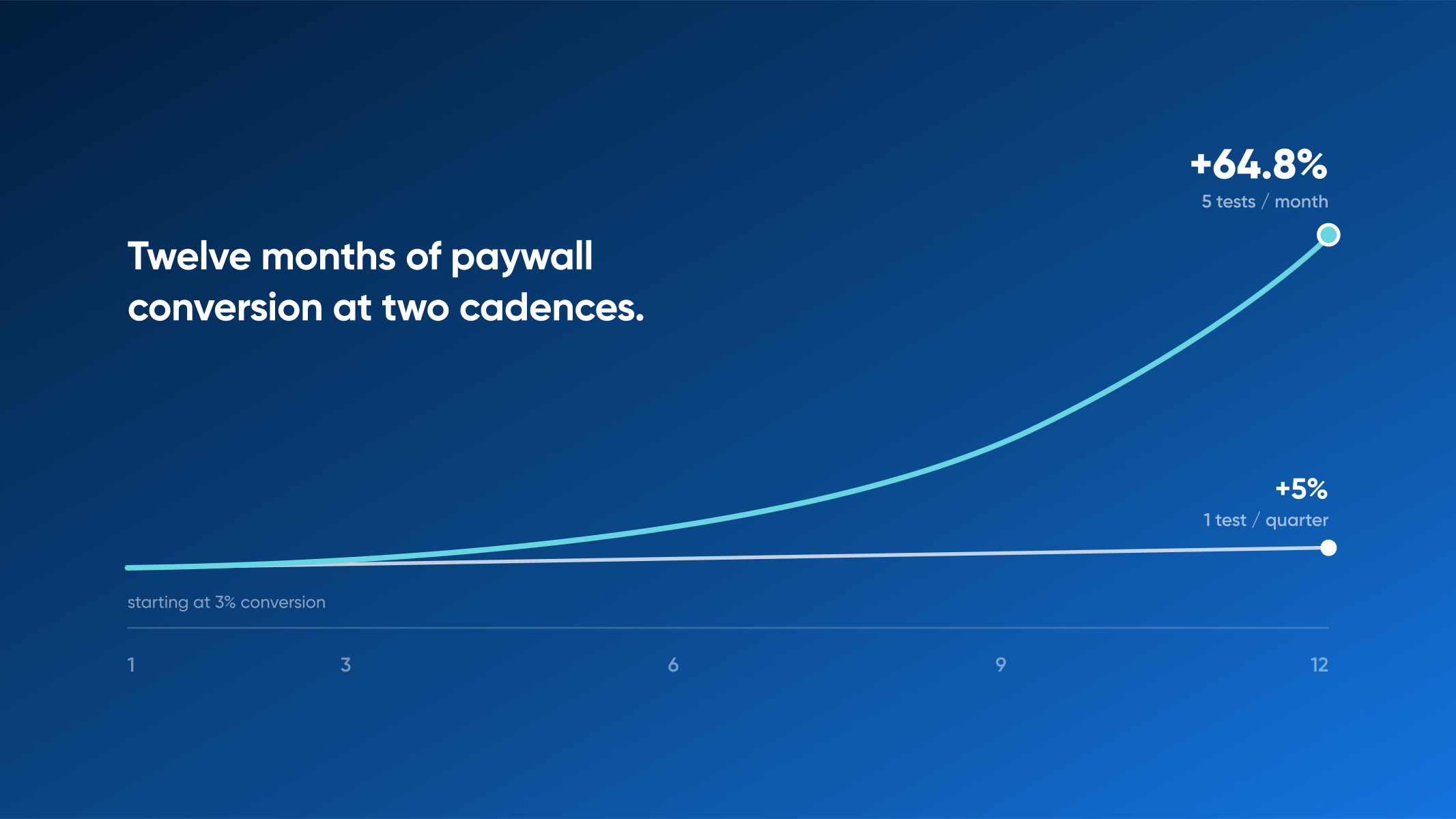
Enterprise subscription growth isn’t driven by a single breakthrough. It’s shaped by a steady cadence of small, high-quality improvements that compound over time. Operational efficiency gives teams the capacity to make evolutionary improvements reliably.
Efficient, enterprise teams can:
The most successful subscription organizations don’t just scale their teams. They redesign their operations so every team can work smarter and faster. They reduce friction in the build process, standardize what can be standardized, and focus their talents on high-impact decisions.
When the system becomes more efficient, growth becomes more predictable, relieving enterprise teams from operational burden, and creating a clear rhythm that customers can follow.